How to Implement and Customize Cookie Consent Banner for Your Website
Ensuring compliance with data protection regulations is crucial for businesses. A cookie consent banner is essential for obtaining user consent before collecting personal information. This guide provides steps to implement and customize a cookie consent banner for your website or funnel.
How-to Steps:
Accessing the Cookie Consent Banner
Navigate to Builder Interface:
Open your funnel or website builder.
Click on Cookie Icon:
Locate and click on the cookie icon within the action header bar to access cookie settings.
Enabling the Cookie Consent Banner
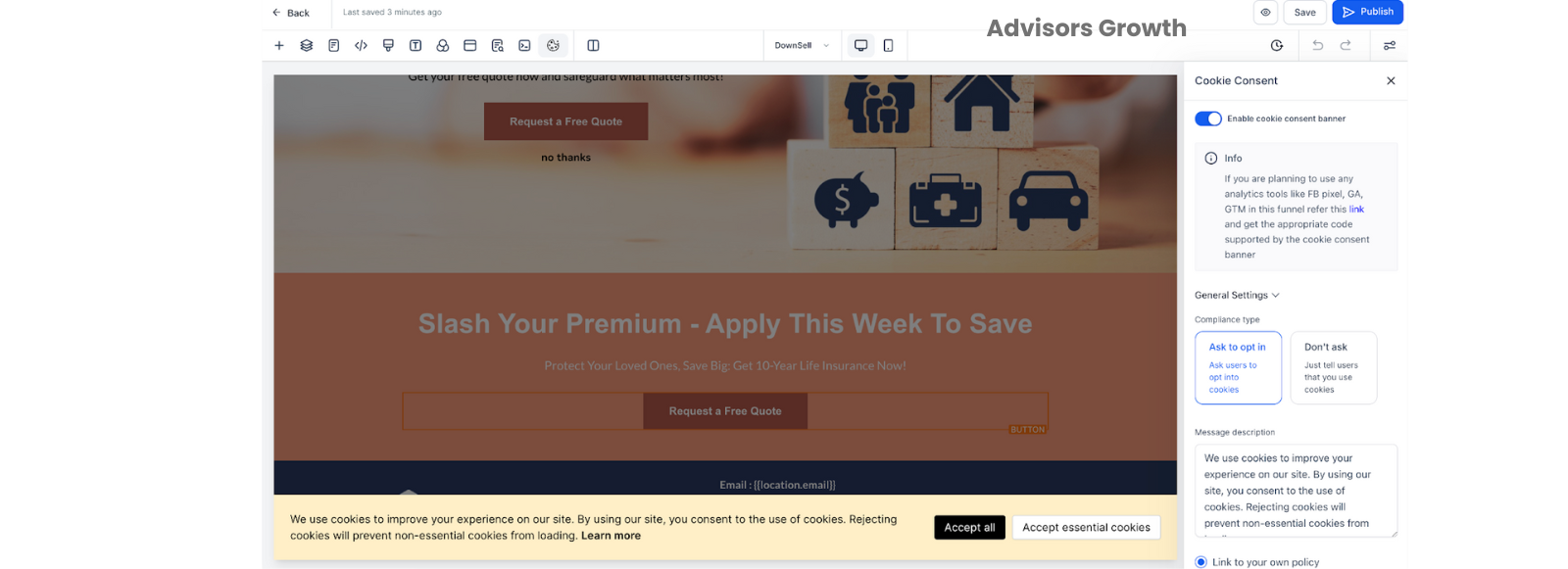
Enable Cookie Consent:
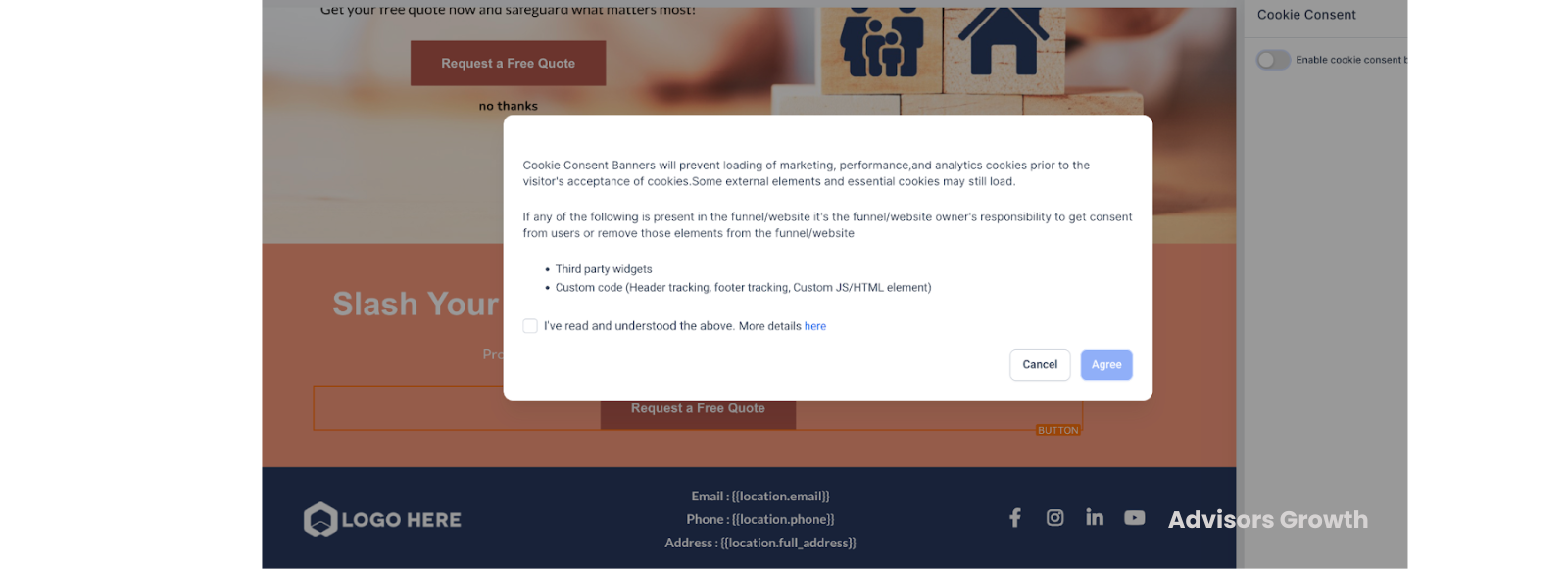
Toggle the switch from the cookie consent sidebar on the right to activate the banner.
Agree to Terms:
Accept the terms and conditions and click on "Agree" to finalize the activation.
Customizing the Banner
Personalize Appearance:
Adjust the look and feel of the cookie consent banner to match your website's branding.
Customize the text, colors, and layout as needed.
Add Privacy Policy Link:
Enable linking to your privacy policy if required, to provide users with easy access to more information.
Saving and Publishing
Save Changes:
Save your changes to apply the customizations.
Publish Updates:
Publish the updated settings to make the cookie consent banner live on your site.
Benefits:
Compliance: Implement cookie consent across your website to ensure compliance with data protection regulations.
Customizable Settings: Tailor cookie categories and settings to meet specific business needs.
User Trust: Build user trust by transparently managing cookie usage and data protection.
Pro Tips:
Detailed Customization: Utilize advanced settings to specify essential cookies and add third-party tools that need to be whitelisted.
Consistent Branding: Ensure the banner aligns with your website’s branding for a cohesive appearance.
Policy Links: Include links to your privacy and cookie policies within the banner for user convenience.
FAQ/Use Cases:
What should I include in the cookie policy?
Mention all essential cookies, their purpose, and how they comply with GDPR or other relevant regulations.
Can I use marketing tools like Facebook Pixel or Google Analytics with the cookie consent banner?
Yes, but ensure these tools are enabled in the cookie consent settings. If cookies are rejected, these tools won't function unless properly configured.
How do I handle third-party tools that are not supported?
Add these tools in the advanced settings of the cookie banner and ensure they are included in your cookie policy for user consent.
What happens if a user rejects cookies?
If cookies are rejected, certain functionalities like tracking and analytics might not work. Ensure your website remains functional without these cookies.