Blog Post List in the Site Builder
The Site Builder includes a Blogs option where you can manage and monitor all your blog posts. Here’s how to navigate and use this feature effectively:
Accessing the Blog Post List
Navigate to the Blogs Option
In the Site Builder, click on the Blogs option.
View Blog Post Metrics
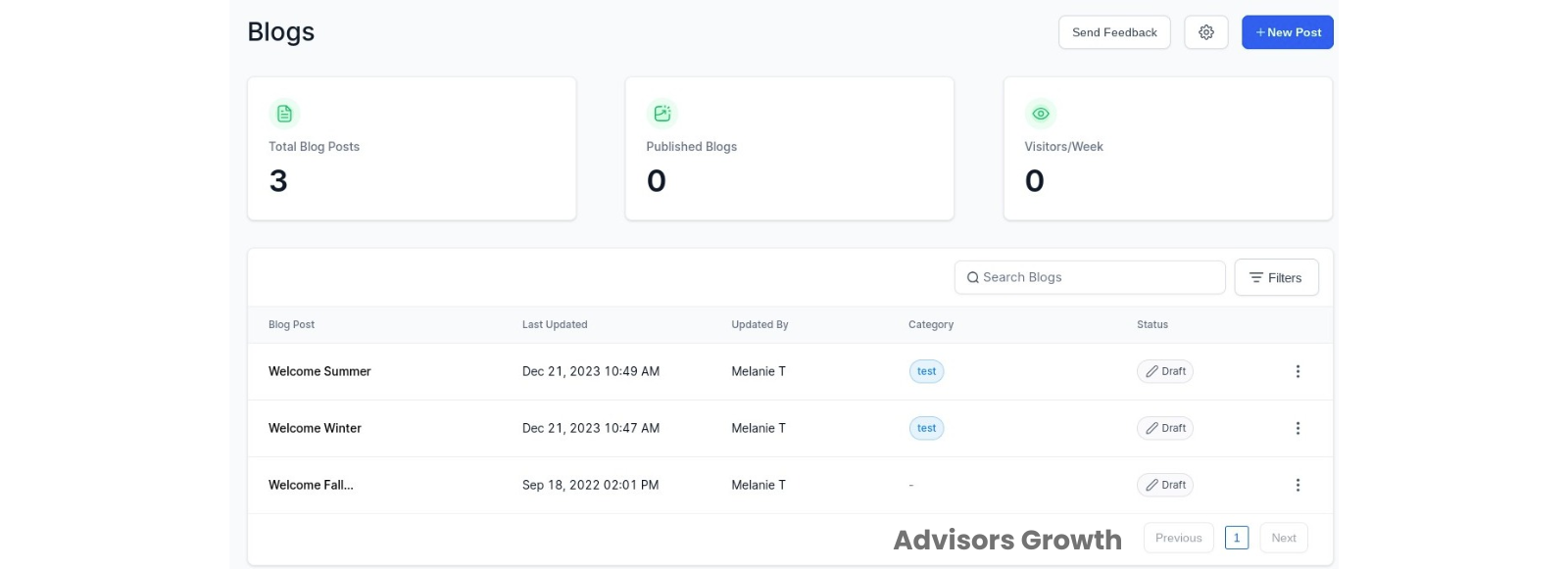
You will see a list of all your blog posts.
Metrics include:
Total number of blog posts
Number of published posts
Weekly visitor count
Search and Filter Blog Posts
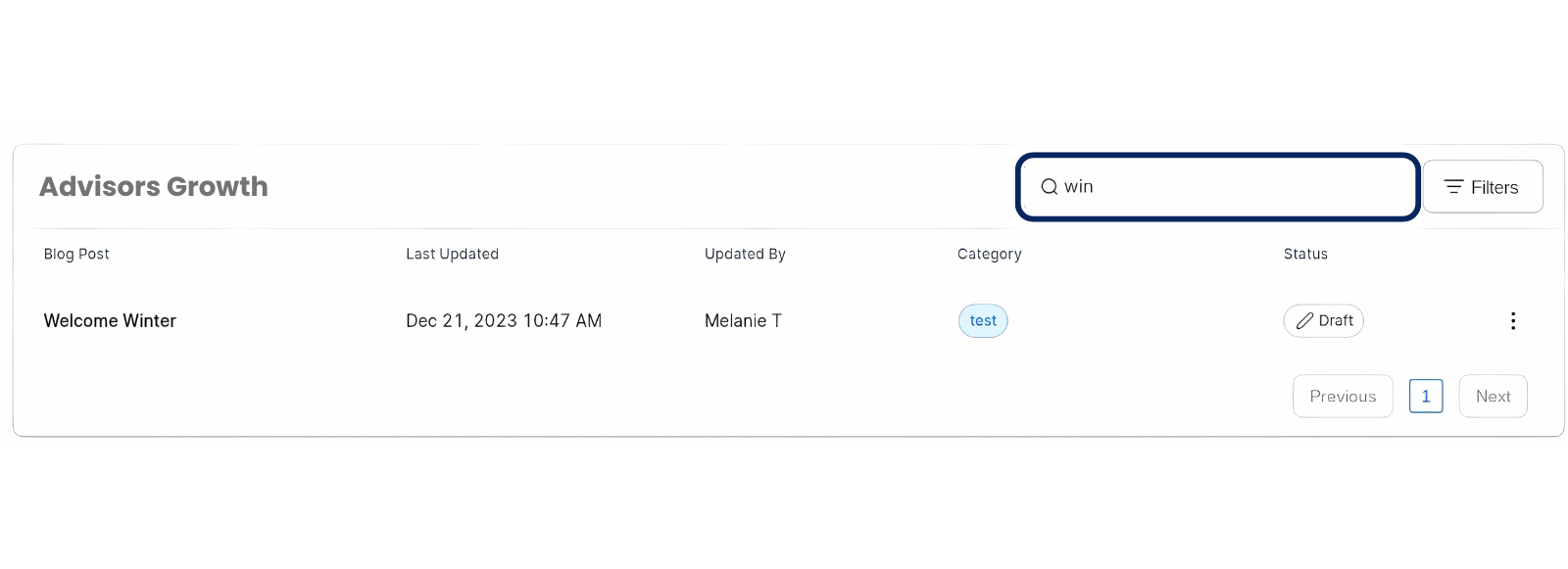
Search Feature:
Use the search bar to find blog posts by name.
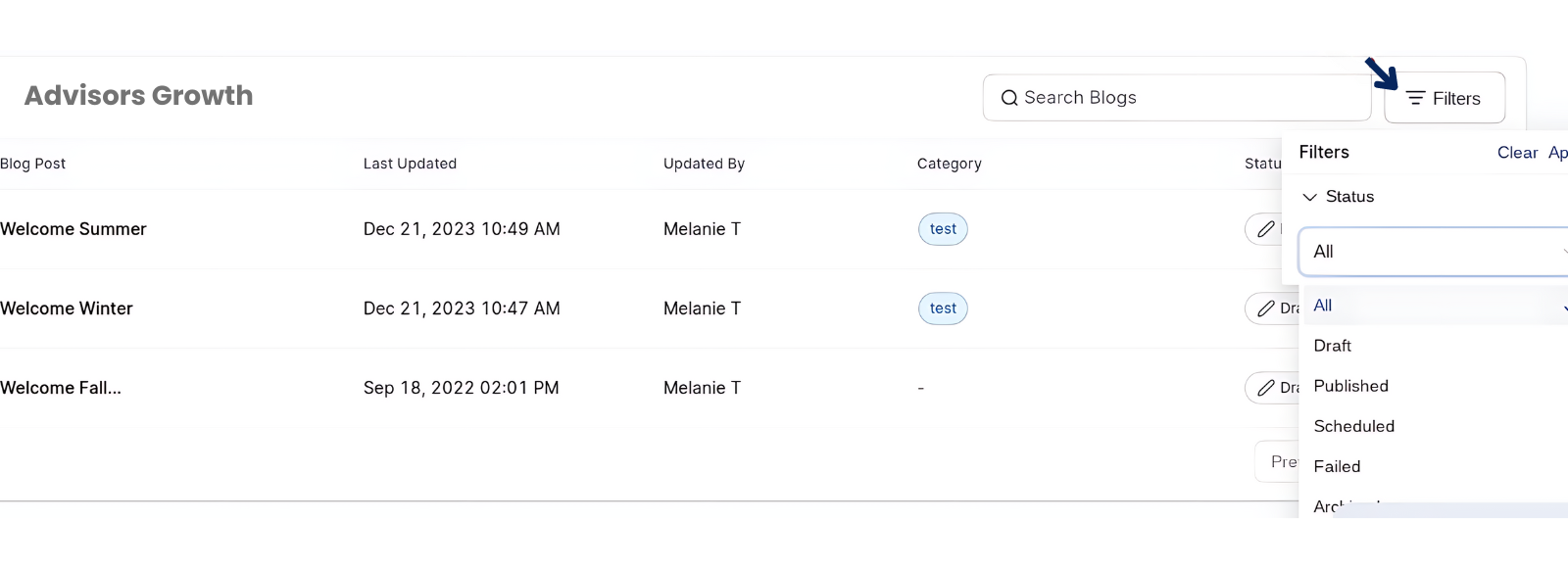
Filter by Status:
You can filter blog posts by their status:
All
Draft
Published
Scheduled
Failed
Archived
Using these features, you can easily manage your blog posts, track their performance, and ensure that your content strategy is on track.